
Journal / Product pages
Product page SEO: titles, descriptions and copy that rank and sell
22 September 2026
A product page has two jobs. It has to show up in search, and it has to convince the person who clicks. Most stores focus on one and neglect the other. The page ranks for a search, then loses the buyer because the copy reads like a catalog entry.
This guide covers the parts of a product page that matter for both, and how to write them, in the order you should work on them.
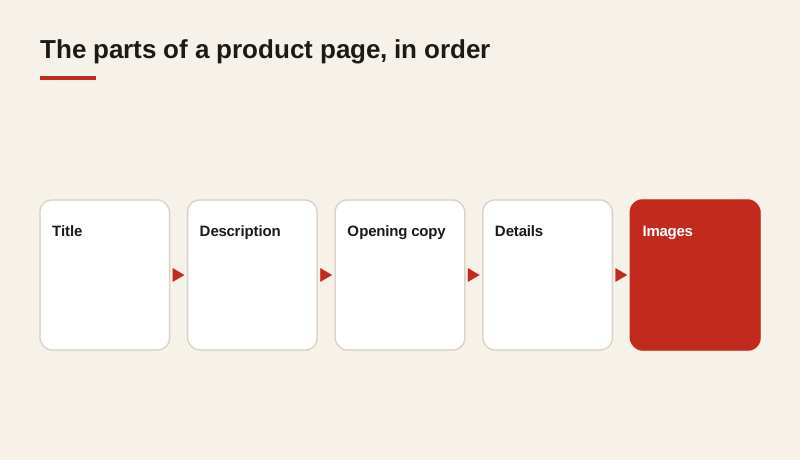
Start with the search, then the buyer
Before writing anything, find out how people search for the product. Look at the words they use, not the words in your catalog. Shoppers say “wedge for beginners” or “foam cannon for boats,” even when the product is named something more technical in your system.
Your search data, support emails and reviews are good sources. Write down the five most common ways people describe the product. Those phrases are the ones the page should be able to speak to.
Once you know the search, check what the buyer needs to know before they’ll buy. That might be sizing, compatibility, care instructions or how the product compares with a cheaper option. The page has to answer both sets of questions: the one the search asked and the one the buyer has in their head.
The page title
The title tag is what appears in search results, and it’s the first thing a buyer reads about your page. It should name the product clearly and include the main search term once, near the start. Keep it under about 60 characters, so it isn’t cut off.
Weak: “Wedge 58 | Shop Now | Our Store”
Stronger: “58° Wedge for Short Pitches and Bunker Shots”
The stronger version names the product, states its use and matches how people search. It also reads like a headline, which is what earns the click. Avoid stuffing several keywords into one title. A title that reads naturally usually performs better.
The meta description
The description doesn’t directly affect rankings, but it strongly affects clicks. Use it to say what the buyer gets, in one or two sentences. Include a benefit they care about, such as delivery, fit or a guarantee, if you have one.
Avoid keyword stuffing, and don’t repeat the title word for word. Each product should have its own description. If two products share one, the search results look duplicated and both pages compete with each other.
The opening copy
The first two sentences of the product copy should answer the most common question about the product. They should use the search terms naturally, without forcing them. If a shopper lands on the page from a search, those opening lines should match what they were looking for, so they know they’re in the right place.
After the opening, go into the detail a serious buyer needs. A short paragraph on what the product is for, who it suits and what makes it different is usually enough. Avoid filler. Every sentence should either help the buyer decide or help the page make sense to search engines.
Headings and structure
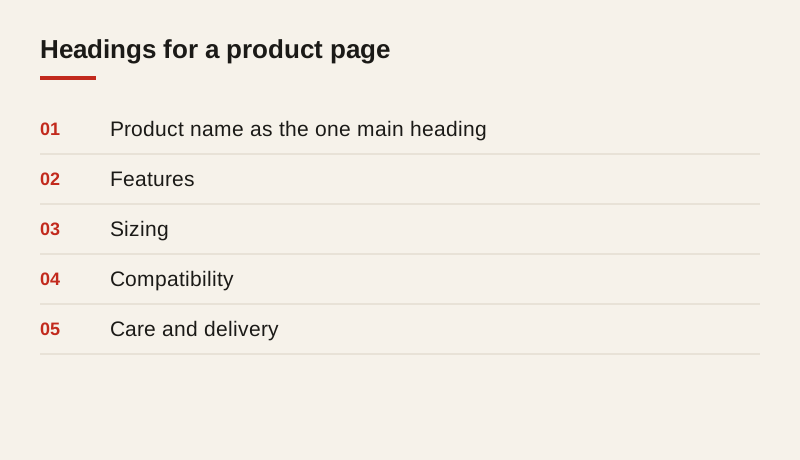
Use one main heading on the page, which matches the product name. Use sub-headings for the things buyers look for: features, sizing, compatibility, care and delivery. Headings help people scan the page on a phone, and they help search engines understand its structure.
Keep the order logical. A buyer who has decided on the product should find the buy button quickly, and a buyer who is still deciding should find the answers they need before it.
Product details
Put the specifications in a clear list, not buried in a paragraph. Include the details a buyer would search for: materials, dimensions, compatible models and what’s included. Each detail is a possible search term, and it helps a buyer compare your product with others.
Be exact. “Large” tells the buyer nothing. A measurement, a weight or a compatibility list does. If the product comes in variants, make sure each variant has its own accurate details, not a shared paragraph that’s only partly right.
Images and alt text
Every product image should have a short alt text that describes what the image shows. Alt text helps shoppers who use screen readers, and it helps search engines understand the page. Keep it specific: “58 degree wedge with a steel head” is better than “wedge.”
Show the product from more than one angle, and show it in use where you can. Images that are large, sharp and fast to load help the page both rank and sell.
Reviews and questions
Customer reviews and questions add fresh, specific language to a page, and they often include the exact words buyers use. Show them on the page where they can be read, and answer the questions openly. A question that is answered publicly helps the next buyer, and it builds trust in the store.
Don’t remove negative reviews to make the page look better. Shoppers trust a page that shows a realistic mix, and a reply to a complaint often reassures more buyers than a page of five-star ratings.
What to avoid
- Copy taken word for word from the manufacturer. Many other stores use the same text, so your page offers nothing new.
- Duplicate titles and descriptions across similar products. Give each product a distinct name and purpose.
- Keyword stuffing. It reads badly to buyers, and search engines can ignore pages that look manipulated.
- Thin pages with a photo, a price and two lines of text. They rarely rank, and they rarely sell.
- Hidden text or copy only for search engines. It’s a risk to the store, and it doesn’t serve the buyer.
A simple process for each product
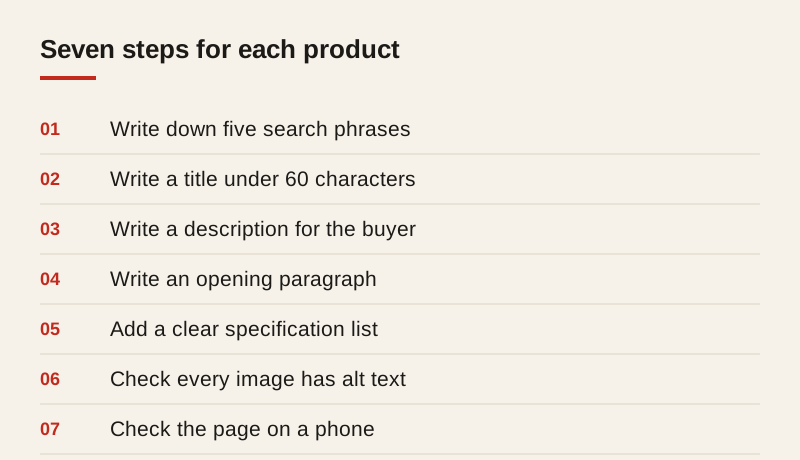
For each product page, work through these steps in order:
- Write down the five most common search phrases for the product.
- Write a title that names the product and its use, under 60 characters.
- Write a description that tells the buyer what they get.
- Write an opening paragraph that answers the most common question.
- Add a clear specification list with the details buyers search for.
- Check every image has an accurate alt text.
- Check the page on a phone, and make sure the buy button is easy to reach.
Where to start
Pick your ten best-selling products and check how each one appears in search. Rewrite the titles and opening copy first, since they have the most effect on both clicks and understanding. Then measure visits and sales for the product over the next few weeks, before moving on. That shows you which changes matter for your store.
Frequently asked questions
How long should a product title be?
Aim for under about 60 characters so the title isn’t cut off in search results. Put the product name and its main use first, and include the main search term once.
Should every product have a unique description?
Yes, where you can. Duplicate descriptions make similar products compete with each other and give search engines little reason to prefer one page. Start with your bestsellers.
Does the product description affect rankings?
The description itself doesn’t directly move rankings, but it strongly affects clicks. A clear description that matches the search can bring more visitors to the same page.
How many reviews does a product page need?
There is no fixed number. What matters is that the reviews are real, recent and specific, and that the page shows them clearly. A realistic mix of ratings usually builds more trust than a page of perfect scores.