
Many ecommerce SEO audits look impressive. They run to dozens of pages, list hundreds of warnings and end with a score out of 100. Then the store owner asks what to fix first, and the answer is unclear. The audit has measured everything and prioritized nothing, which leaves the owner with a long list and no clear next step.
A useful audit does something different. It finds the problems that cost the most, explains why in plain language, and puts them in an order you can act on. It’s shorter than most people expect, and it’s specific to one store rather than generic advice that could apply to any site on the internet.
What a good audit covers
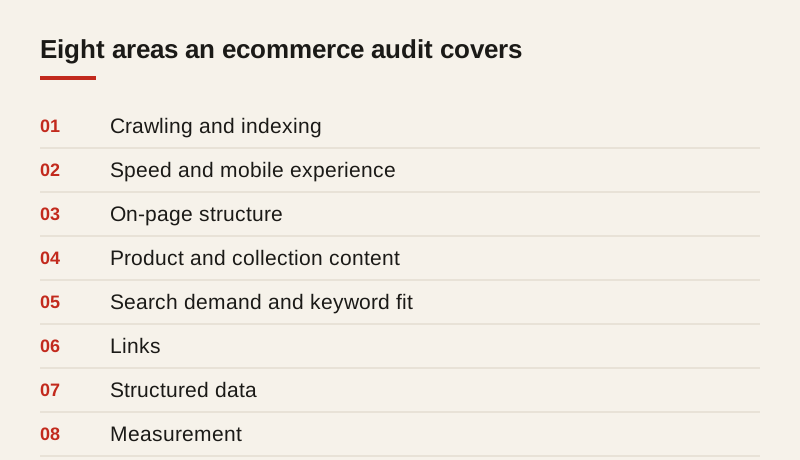
A good ecommerce audit covers eight areas. Not every area will reveal a serious problem for every store, but each one should be checked. Skipping an area is how a store ends up fixing the wrong things for months.
1. Crawling and indexing
Can Google reach the pages you want it to find, and is it keeping the right ones? This is the first check because nothing else matters if a page can’t be found. Look for orphaned products that no page links to, redirect chains, pages blocked by mistake in the robots settings, and pages that are indexed but shouldn’t be, such as filter combinations and internal search results.
The most useful signal here is the gap between the pages a store has and the pages Google has indexed. A large gap usually points to a structural problem, not a content problem, and it’s often the fastest place to recover visibility.
2. Site speed and mobile experience
Most ecommerce traffic arrives on phones, often on connections that are slower than the office Wi-Fi where the site was built. Test real pages on mobile and desktop, and look at the heaviest problems: large images, slow scripts and apps that load on every page whether they’re used or not.
Speed affects both rankings and whether shoppers stay long enough to buy. An audit should show the slowest templates, such as product pages or collection pages, rather than a single score for the homepage. The homepage is rarely where the sales happen.
3. On-page structure
Check titles, descriptions and headings on the most important pages. Look for duplicates, missing descriptions and pages with no clear main heading. A page with three different H1 headings, or none at all, is confusing to a search engine and to a shopper.
The question for each page is whether it has one clear job. A product page should be about one product. A collection page should be about one category. When a page is trying to do several jobs, it usually ranks for none of them well.
4. Product and collection content
Review the copy on your top products and collections. Is it specific, or copied from the manufacturer? Does it answer the questions a buyer would ask before purchasing? Thin collection pages are one of the most common and costly gaps in ecommerce, because they are the pages that should rank for the broad searches that bring in the most new buyers.
Count how many of your products share the same description. If the answer is many, the audit should flag that as a pattern, because it affects the whole catalog rather than a single page.
5. Search demand and keyword fit
Compare the pages you have with the searches people actually make. Some valuable searches may have no page at all, and some pages may target searches nobody types. This is where the audit connects to revenue. A keyword list with no link to what the store sells is an academic exercise.
The best way to check is to start from the searches your buyers use, then map each one to the page that should answer it. Where no page exists, the audit should say so, and it should suggest whether the gap is best filled by a new collection, a guide or a product page.
6. Links
Look at who links to the store, and where those links come from. Identify links from low-quality or unrelated sites, and check whether any of them are harmful enough to need action. Most stores have a healthy mix of links that they never have to think about. The audit’s job is to confirm that, and to point out the exceptions.
Links to the store’s own pages are just as important. Check that important collections and guides receive internal links from the rest of the site, because those links carry visibility from the strong pages to the weak ones.
7. Structured data and search features
Check whether products, reviews and FAQs are marked up correctly. Structured data helps search engines understand the page, and when it’s correct it can make a listing more informative in search results. An audit should test a sample of product pages with a rich results tool and report the errors, not just say that markup exists.
8. Measurement
Confirm that analytics and Search Console are set up correctly, and that you can see visits and revenue from search. An audit without measurement can’t prove that the fixes worked, and a store without measurement can’t tell which work is paying off.
This is the area most often skipped, and it’s the one that makes every other recommendation easier to judge. If the store can’t see revenue from search, the first recommendation should be to fix that, before anything else.
What a useful audit looks like
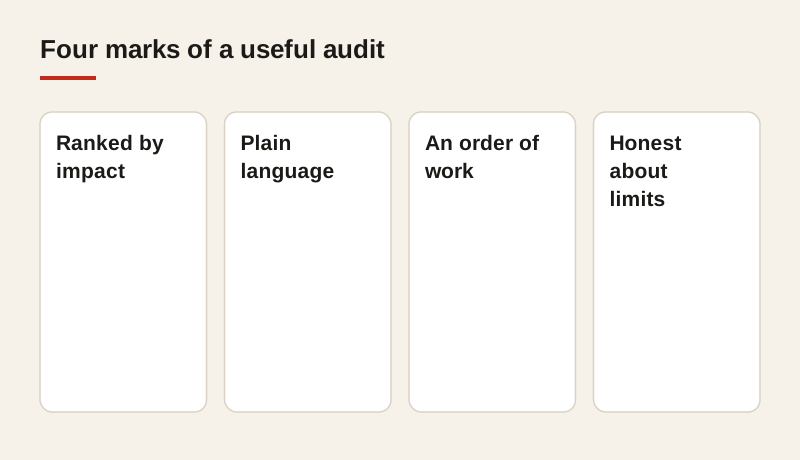
A good audit does four things, and you can check any audit against them.
- It ranks the problems by impact. A broken collection page that drives sales matters more than a long meta description on a blog post nobody reads. The audit should say which problems are worth time now, and which can wait.
- It explains each problem in plain language. You should understand what’s wrong and why it matters, without a glossary. If the audit uses terms you can’t explain to a colleague, ask the author to rewrite it.
- It gives an order of work. You should know what to fix this week, this month and later. A single list with no order is not a plan.
- It says what it can’t tell you. Honest audits note where the data is limited, and where a test is needed before the team commits to a large change.
How to tell a weak audit from a strong one
A weak audit is a long list of warnings with no order, no revenue link and no explanation. It often includes a score that means nothing outside the tool that produced it, and it contains fixes that are generic enough to apply to any site. Those fixes are rarely wrong, but they are rarely the ones that matter most for your store.
A strong audit is shorter, and it’s specific to your store. It names your products, your collections and your buyers. It tells you what to do first, and why, and it connects each recommendation to visits or sales. When you read it, you should be able to picture the work and estimate roughly what it will take.
What to ask for
Ask for the top ten problems, ranked by expected impact, with a short explanation of each. Ask how each fix will be checked afterwards, and what you should see in the data if the fix works. A good answer names specific pages and specific measures, such as visits to a collection or the share of product pages indexed.
Ask also what the audit doesn’t cover. Every audit has limits, whether it’s the data available, the time spent or the areas left out on purpose. Knowing the gaps tells you where to look next, and it protects you from assuming that a clean audit means the store has no problems.
A simple test you can run on any audit
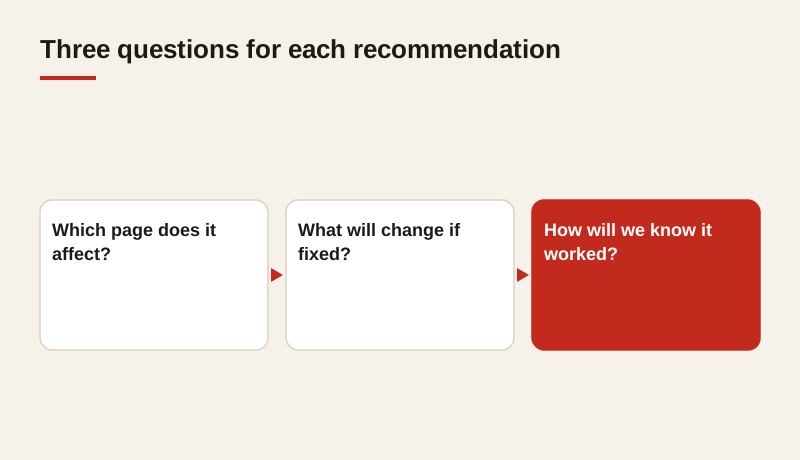
Take the first recommendation in the report and ask three questions. What page does it affect? What will change for a shopper or for Google if it’s fixed? How will we know it worked in six weeks? If the report can answer all three, it’s useful. If it can’t, the recommendation is probably a warning rather than a plan.
Run the same test on the last three recommendations. A strong audit passes it every time, and a weak one usually fails on the second or third item.
Where we start
Our store analysis covers these eight areas and ends with a written plan. The plan is ordered by expected impact, and it names the pages, the fixes and the measures for each step. We review the store before we discuss price, so you know what the work involves before you decide anything.
If you already have an audit, we’re happy to review it against the checks above and tell you which recommendations are worth acting on first. You don’t have to be a client to ask.
Frequently asked questions
How long should an ecommerce SEO audit take?
A focused audit of a typical store takes one to three weeks, depending on catalog size and access to data. A very large catalog may need a sample of templates rather than every page.
What data do I need to give an auditor?
Access to Search Console and analytics is the most important. Sales data by product or collection is also useful, because it connects each recommendation to revenue.
Is a free audit worth having?
A free tool report can show basic issues, but it rarely shows what matters most for your store. Use it as a starting point, and ask whether the findings are ranked by impact before you act on them.
How do I know the fixes worked?
Set a baseline before any change, then compare visits and sales for the affected pages over the following weeks. Record the change, the date and the result, so you can judge each fix on its own.